
Svelte从入门到精通——样式
发表于 阅读时长8分钟
目录
scoped
在<style></style>内编写的样式默认是scoped,组件内生效的。
<!-- Child.svelte -->
<p class="txt">hello svelte</p>

<style>
  .txt {
    color: green;
  }
</style>
<script>
// App.svelte
  import Child from './Child.svelte';
</script>

<p class="txt">hello 1</p>
<Child />

<p class="txt">
  hello 2
  <Child />
</p>

<style>
.txt {
  color: red;
}
</style>
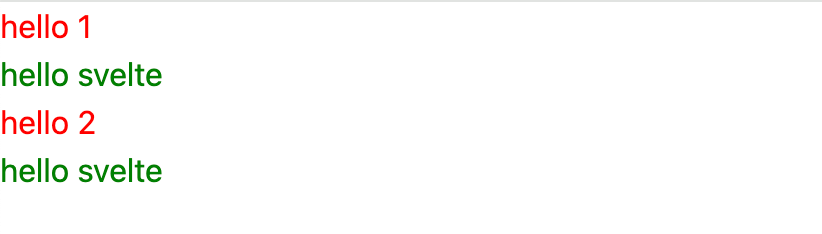 在上述例子中,笔者编写了一个绿色字体的组件,可以看到,即使外部的字体都设置成了红色,也没有影响到组件内部的样式。
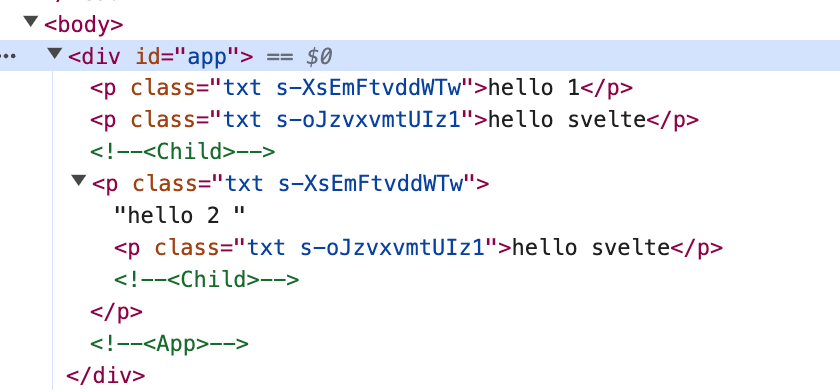 从编译后的html内容中可以看到,每个节点的样式class都添加了单独的s-xxx选择器。
global
在一些情况下,我们需要让我们的样式不止在组件内生效,最常见的场景便是修改UI组件的样式。一个UI组件库通常有自己的固定样式,当我们引用了UI组件库后,往往需要重新修改原有样式以适配业务。
<!-- Button.svelte -->
<button class="svelte-button">button</button>

<style>
  .svelte-button {
    border: 1px solid black;
    border-radius: 4px;
    padding: 4px 8px;
  }
</style>
<script>
  // App.svelte
  import Button from './Button.svelte';
</script>

<Button />

<div class="button-wrapper">
<Button />
</div>

<style>
:global(.button-wrapper .svelte-button) {
  border: none;
  background-color: orange;
  border-radius: 8px;
  color: white;
}
</style>
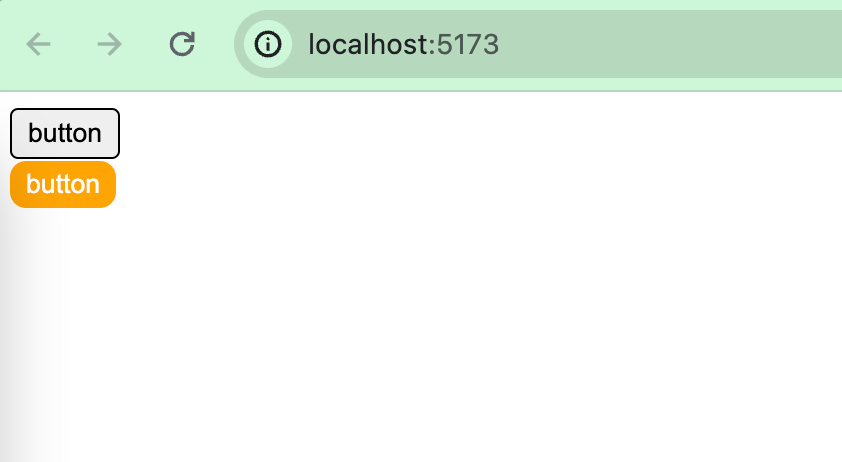 我们设置了一个Button.svelte来作为UI组件的例子,当App.svelte正常引入这个组件时,展示的是其原有的样式,通过
:global()我们能够正常覆盖组件内的样式。
预处理器
CSS可以用来修改网页样式和外观,但严格意义上讲,CSS并不是一种编程语言,无法使用它来进行编程。CSS不像其他编程语言一样能够进行复杂程序逻辑的操作,而且写起来很费事,代码难以组织和维护。CSS预处理器应运而生。
CSS预处理器的功能就是通过变量、嵌套、函数等逻辑特性,让CSS拥有一些可编程的特性,从而提高开发者的开发效率。
目前主流的CSS预处理器主要有Sass、Less、Stylus、PostCSS。
Less
npm install svelte-preprocess-less less -D
// vite.config.js
import { defineConfig } from 'vite'
import { svelte } from '@sveltejs/vite-plugin-svelte'
import { less } from 'svelte-preprocess-less';

// https://vitejs.dev/config/
export default defineConfig({
  plugins: [svelte({
    preprocess: {
      style: less()
    }
  })],
})
// component.less
.wrap {
  header {
    color: aquamarine;
  }
  .content {
    font-size: 24px;
    font-weight: bold;
  }
}
<!-- Component.svelte -->
<div class="wrap">
  <header>hello world</header>
  <div class="content">content</div>
</div>

<style lang="less">
@import "./component.less";
</style>

Sass
npm install svelte-preprocess-sass sass -D
// vite.config.js
import { defineConfig } from 'vite'
import { svelte } from '@sveltejs/vite-plugin-svelte'
import { sass } from 'svelte-preprocess-sass';

// https://vitejs.dev/config/
export default defineConfig({
  plugins: [svelte({
    preprocess: {
      style: sass()
    }
  })],
})
<div class="wrap">
  <header>hello world</header>
  <div class="content">content</div>
</div>

<style lang="sass">
@import ./component.sass
</style>
// component.sass
.wrap
  header
    color: aquamarine
  .content
    font-size: 24px
    font-weight: bold
Stylus
npm install svelte-preprocess stylus -D
Stylus除了需要在vite.config.js中配置外,还需要在svelte.config.js中配置。
// vite.config.js
import { defineConfig } from 'vite'
import { svelte } from '@sveltejs/vite-plugin-svelte'

// https://vitejs.dev/config/
export default defineConfig({
  plugins: [svelte()],
})
// svelte.config.js
import { vitePreprocess } from '@sveltejs/vite-plugin-svelte'
import * as sveltePreprocess from 'svelte-preprocess';

const { stylus } = sveltePreprocess.default;

export default {
  // Consult https://svelte.dev/docs#compile-time-svelte-preprocess
  // for more information about preprocessors
  preprocess: vitePreprocess({
    preprocess: [
      stylus()
    ]
  }),
}
// component.styl
.wrap
  header
    color aquamarine
  .content
    font-size 24px
    font-weight bold
<div class="wrap">
  <header>hello world</header>
  <div class="content">content</div>
</div>

<style lang="stylus">
@import "./component.styl"
</style>
行内样式
表达式
我们可以在行内样式中,在{}内使用变量或表达式。
<script>
  let color = 'gray'
</script>

color: <input bind:value={color} />

<div style="color: {color};">color</div>
<script>
  let color = "gray";
</script>

color: <input bind:value={color} />

<div style="color: {color}; {color === 'red' ? 'font-size: 32px;' : ''}">
  color
</div>
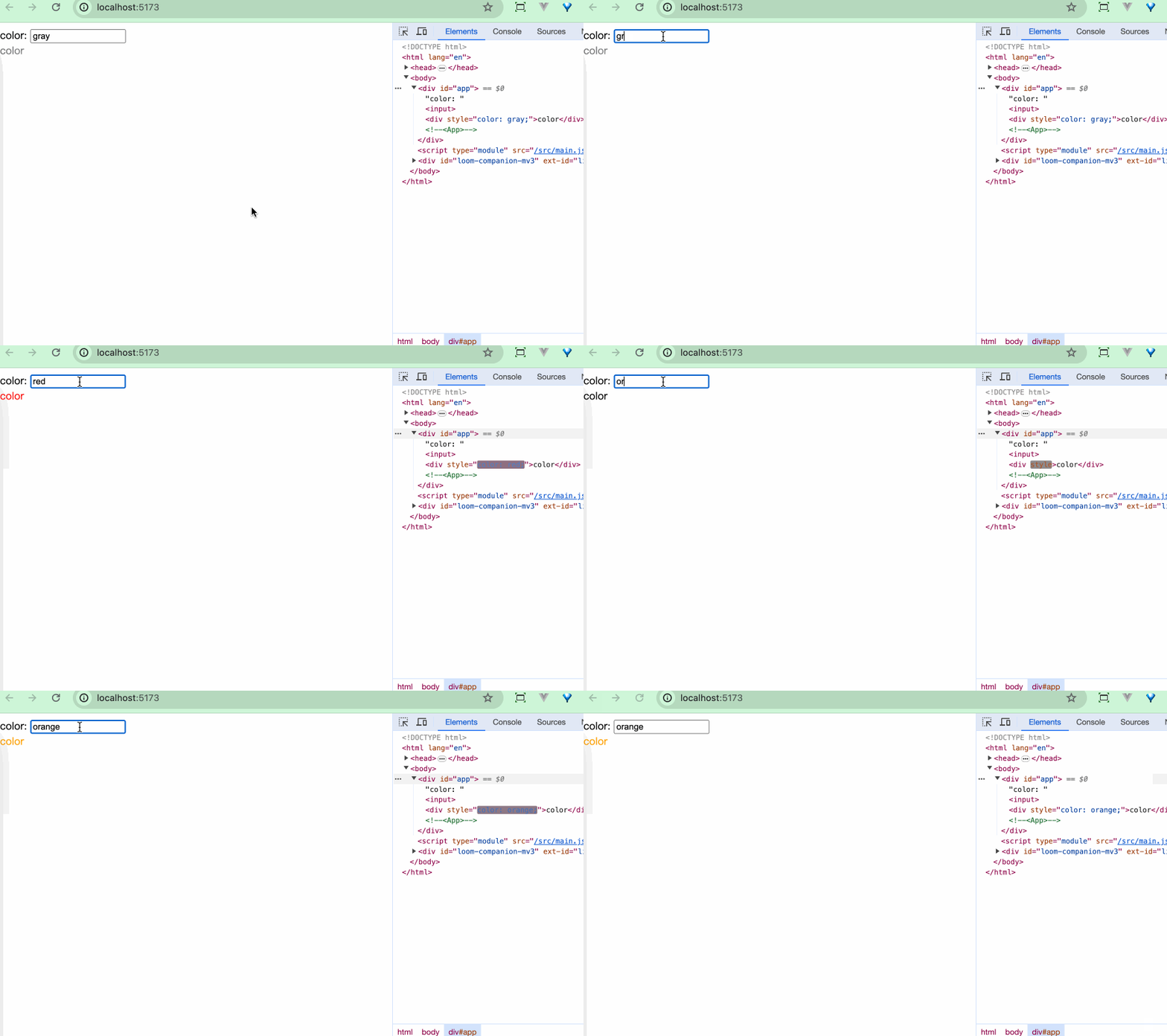
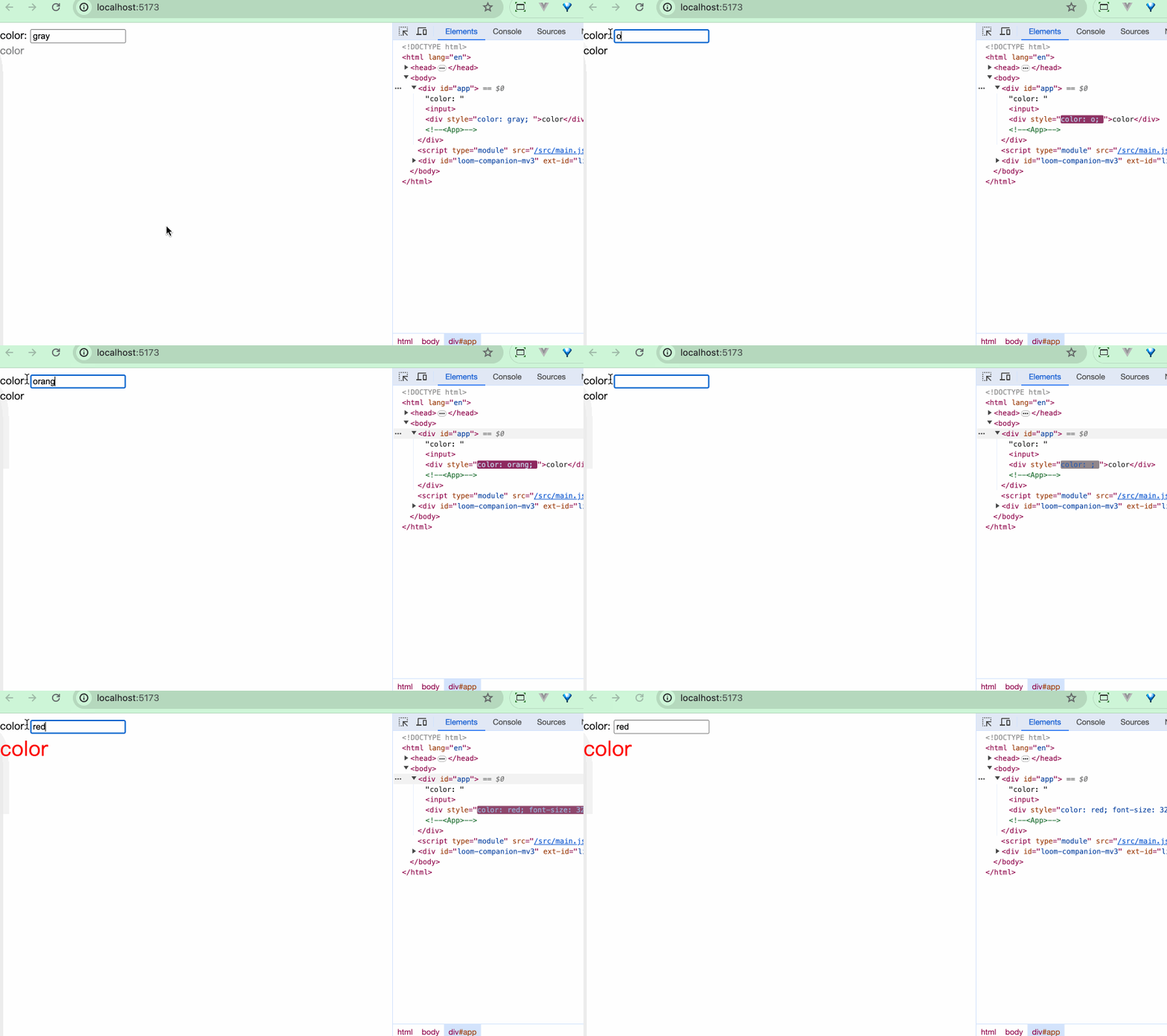 在这个例子中,我们可以在
{}内进行表达式的判断,从而实现动态加载一些样式。
指令
可以通过style:property={value}的形式来操作行内样式。
<script>
  let color = "gray";
</script>

color: <input bind:value={color} />

<div
  style:color
  style:font-size={color === "red" ? '32px' : ''}>
  color
</div>
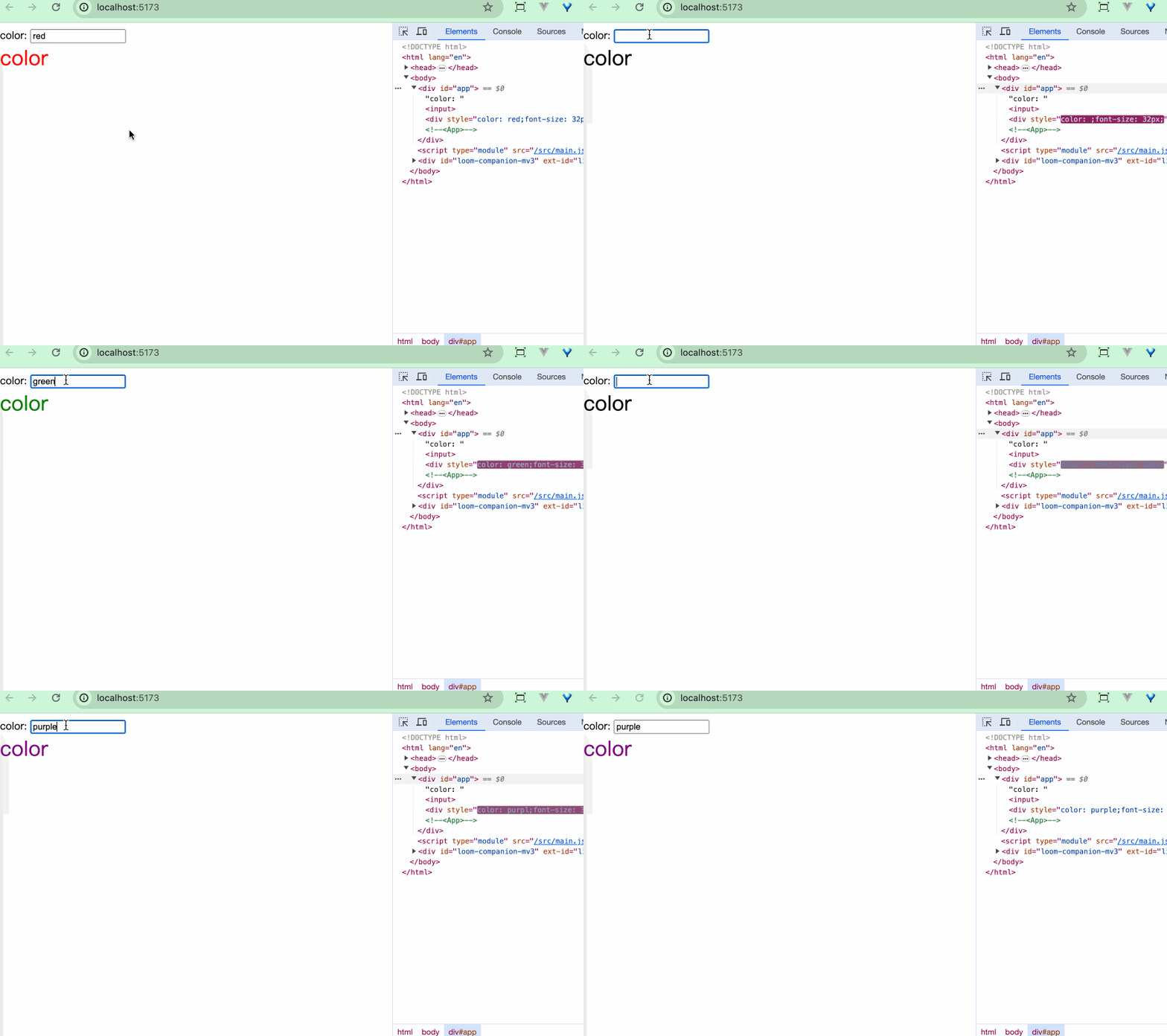
例子中的代码同样可以实现上图的效果。
遗憾的是,不同于React,我们无法往style属性中传入一个对象类型的值,Svelte目前不支持对象类型的样式值。我们可以使用一些转换的库如style-object-to-css-string,也可以自己定义转换功能。
export const styleToString = (style: Record<string, string | number>): string => {
  return Object.keys(style).reduce((str, key) => {
    const value = style[key];
    return str + `${key}: ${value};`;
  }, '');
}
<script>
  let color = "red";
  $: style = {
    color: color,
    "font-size": "32px",
  };

  const styleToString = (style) => {
    return Object.keys(style).reduce((str, key) => {
      const value = style[key];
      return str + `${key}: ${value};`;
    }, "");
  };

  $: styleStr = styleToString(style);
</script>

color: <input bind:value={color} />

<div style={styleStr}>color</div>
class属性
简写
<!-- 它们是等价的 -->
<div class="{active ? 'active' : ''}">...</div>
<div class:active={active}>...</div>

<!-- 简写 -->
<div class:active>...</div>

<!-- 可以包含多个class状态 -->
<div class:active class:inactive={!active}>...</div>
原子化
在Svelte中,同样可以使用一些流行的原子化CSS框架,诸如Tailwind CSS、UniCSS等。Svelte的诸多UI库,均选择了Tailwind等原子化框架来处理样式,比如:shadcn-svelte、melt-ui。
变量
css变量
style中的样式跟随变量更改
<script>
  let color = "red";
</script>

文案颜色:<input bind:value={color} />
<span class="text" style="--color: {color}">hello world</span>


<style>
  .text {
    color: var(--color);
    border: 1px solid var(--color);
    padding: 3px;
  }
</style>
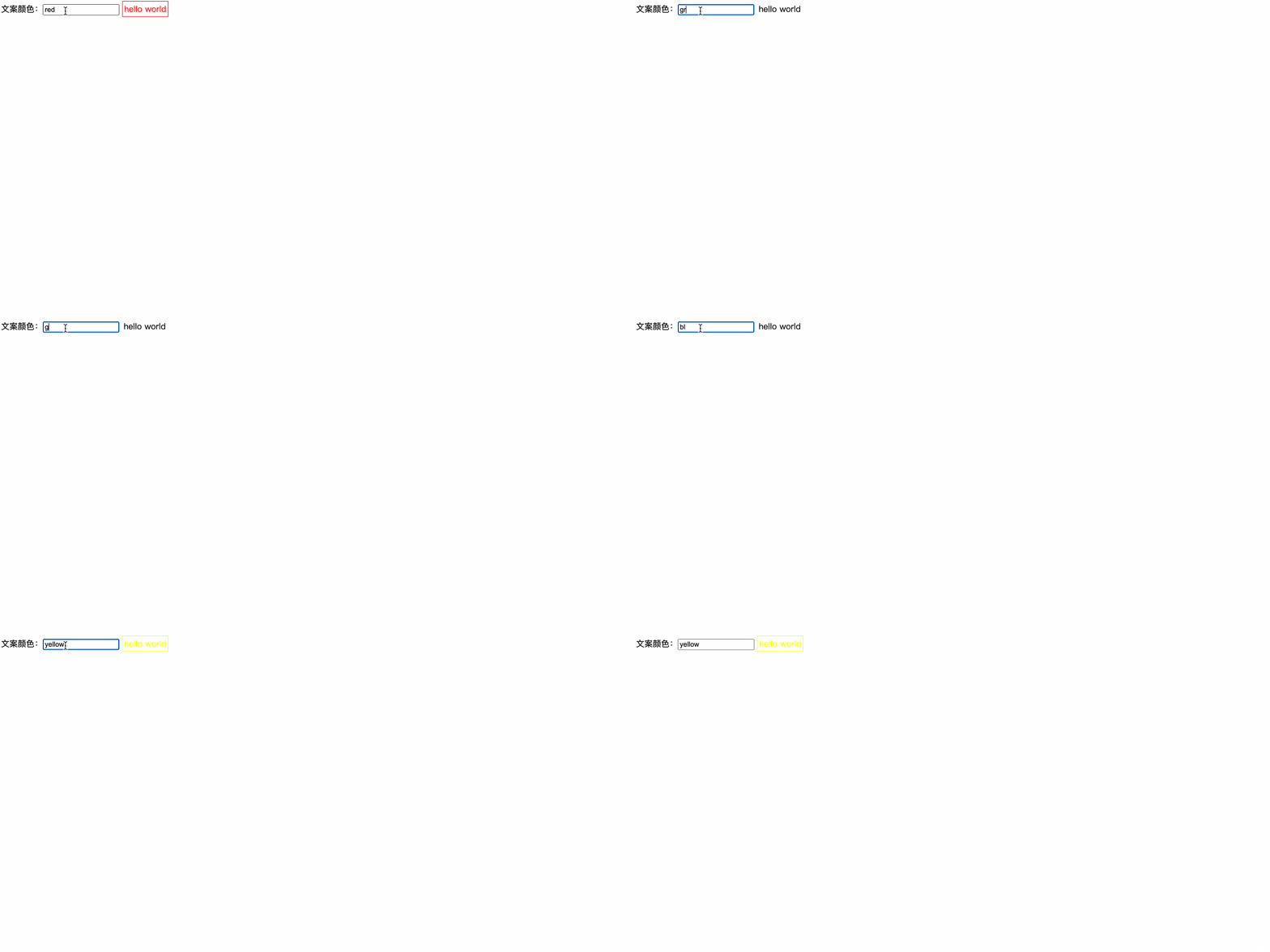 CSS 变量会破坏 Svelte 组件局部作用域的特性。
CSS-in-Js
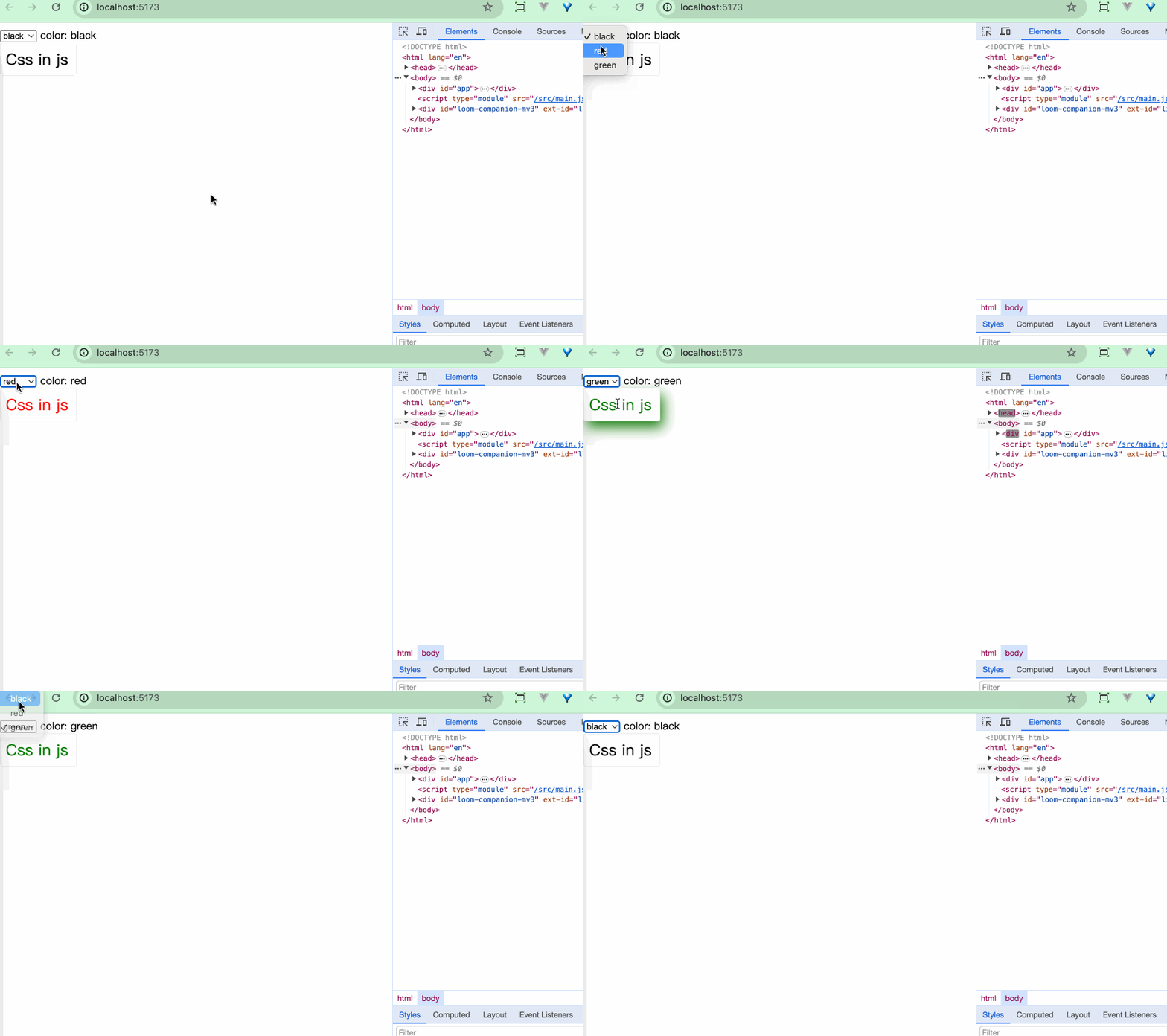
同样,我们可以使用一些cssinjs库和Svelte结合使用。以Emotion为例:
<script>
  import { css } from '@emotion/css';

  let color = 'black';

  $: style = css`
    width: 100px;
    padding: 8px;
    border: 1px solid #eee;
    font-size: 24px;
    border-radius: 4px;
    color: ${color};
    &:hover {
      box-shadow: 5px 10px 20px ${color};
    }
  `;

</script>

<select bind:value={color}>
  <option value="black">black</option>
  <option value="red">red</option>
  <option value="green">green</option>
</select>
color: {color}
<div class={style}>
  Css in js
</div>
小结
本章我们学习了:
- 在Svelte文件中使用CSS样式,
<style></style>标签内的样式默认是组件内生效的 - 通过
:global()在<style>标签内定义全局样式 - 在Svelte中使用CSS预处理器,比如:Less、Sass、Stylus等
- Svelte中行内样式的值是一个字符串,如果要使用对象类型来传递,需要自己定义转换方法
style:property={value}指令可以操作行内样式- Svelte中clss样式属性的简写形式
- 如何通过变量的形式来控制css样式更改